
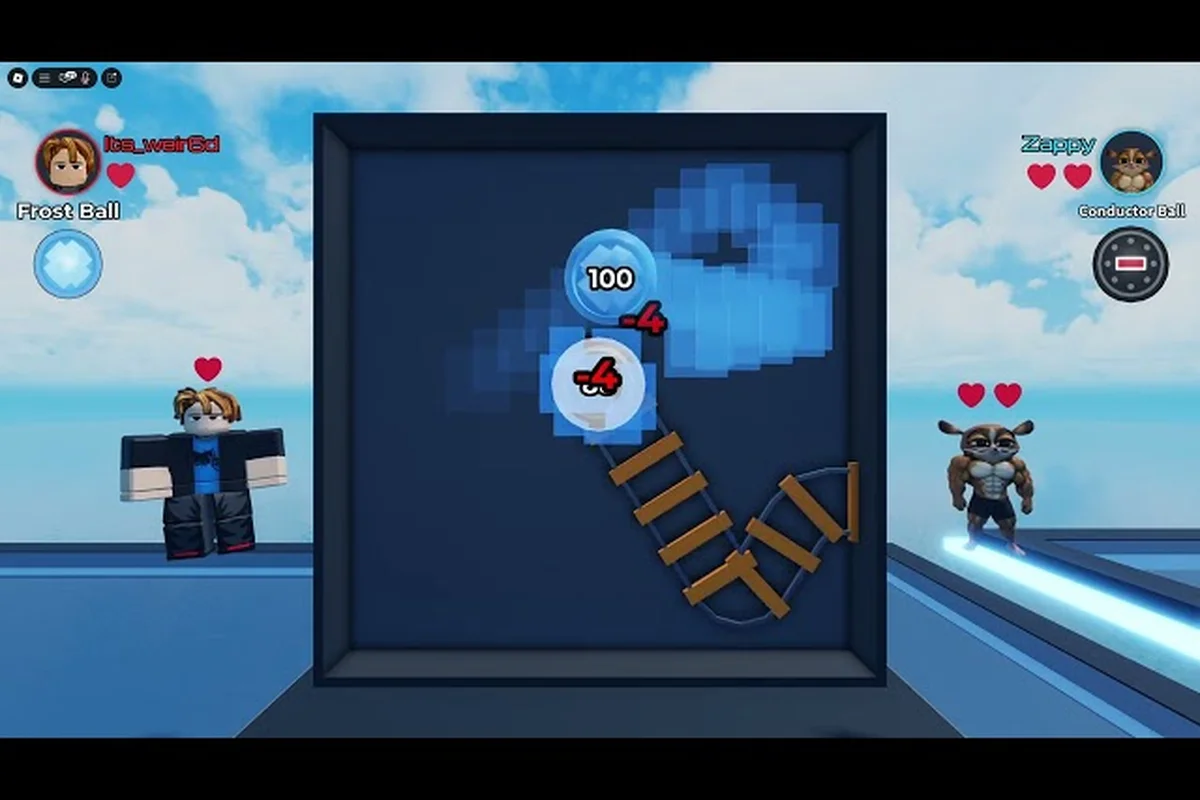
When the arena freezes mid-fight, kicks you back to the Roblox launcher, or refuses to load past the spinning ring, Ball VS Ball not working almost always traces back to client-side bottlenecks, server crowding, or a stale Roblox cache. This guide walks through the most reliable fixes for lag, crashes, and loading loops, ordered from the fastest checks to the deeper resets that resolve stubborn connection errors.
Why Ball VS Ball Stalls, Lags, or Refuses to Load
Most Ball VS Ball lag fix attempts fail because players reach for the wrong layer first. The Roblox client, the ATYS 3 server pool, and the player's own network each contribute to the symptom you actually see, so identifying which layer is misbehaving saves hours of trial and error. According to the official Ball VS Ball page on Roblox, the game runs on standard Roblox place infrastructure, which means it inherits every common Roblox failure mode plus a few that are unique to fast-paced arena matches.
The first layer is the device. Roblox arenas stress the GPU during the late-game ring collapse, when every player's effects stack on screen. When Ball VS Ball low fps spikes hit during a 25-player match, the cause is usually shader recompilation, thermal throttling, or a background process eating CPU cycles. Browser tabs, Discord hardware acceleration, and antivirus real-time scans are the usual suspects.
The second layer is the local network. Ball VS Ball connection error popups, rubber-banding during dashes, and disconnects at the 1v1 phase almost always correlate with packet loss or jitter. Wireless connections, mesh routers, and overloaded home networks are the most common culprits, and they are also the easiest to test.
The third layer is the Roblox platform itself. Ball VS Ball wont load errors that persist across device restarts usually mean the Roblox cache, a corrupted place file, or an outdated client is blocking the arena from initializing. The fourth layer is the server pool, where Ball VS Ball stuck on loading screens can mean the place is full or under maintenance. Layered fixes address all four, and that is what separates a 30-second repair from a wasted evening.
| Symptom | Most Likely Layer | First Fix to Try | If That Fails |
|---|---|---|---|
| Ball VS Ball low fps during late-game ring | Device (GPU/CPU) | Lower graphics quality, close background apps | Update GPU drivers, switch to Performance mode |
| Rubber-banding and dashes resetting | Local network | Switch to wired Ethernet, restart router | Check for ISP throttling, change DNS |
| Ball VS Ball wont load past black screen | Roblox client | Clear Roblox cache, reinstall | Verify Roblox version, check place status |
| Ball VS Ball stuck on loading spinner | Server pool | Try a different server region, wait 5 min | Check @ATYS3 for outage posts |
| Crash to desktop during match | Device + client combo | Disable overclocking, verify file integrity | Check Event Viewer for RobloxPlayer crash logs |
| Ball VS Ball connection error popups | Roblox platform | Restart Roblox, check for Roblox status | Reinstall Roblox from official site |
Identifying the layer correctly before applying fixes is the single biggest time-saver in this whole process, because each layer has its own diagnostic shortcut that points to the right remedy without guessing.
Ball VS Ball Lag Fix: Step-by-Step Optimization
A reliable Ball VS Ball lag fix starts with in-game settings, then moves outward to the operating system, then to the network. Players who skip straight to network resets often miss a one-click Roblox graphics toggle that resolves the issue immediately. Community testing reported by players on the ATYS 3 group feed consistently shows that most arena lag disappears after the first three steps below, with deeper interventions only needed for the remaining 10 to 15 percent of cases.
Step 1: Drop Roblox Graphics Quality to Manual
Open the Roblox experience, hit Escape, and slide the Graphics Quality bar from Automatic to Manual at level 1. This single change offloads shader decisions from the Roblox engine and forces it to skip particle-heavy effects that tank Ball VS Ball low fps during the 25-player ring collapse. Most players report a 30 to 50 percent frame time reduction immediately.
Step 2: Close Background Resource Hogs
Browser tabs streaming video, Discord screen share, and RGB software suites all compete for the same CPU and GPU. Before opening the arena, close anything that is not actively needed. The Discord hardware acceleration toggle alone frees enough GPU memory to keep arena effects from stuttering on mid-range hardware.
Step 3: Verify Roblox Client and Place Version
An outdated Roblox client can produce a Ball VS Ball connection error that masquerades as a server problem. Open any other Roblox experience, and if it loads correctly, the client is current. If multiple experiences fail, reinstall Roblox from the official site rather than from a third-party store.
Step 4: Network Tuning
A wired Ethernet connection eliminates roughly 80 percent of the rubber-banding that players blame on the server. If a cable is impractical, sit within line of sight of the router and disconnect other household devices during ranked sessions. Switching to a public DNS like Cloudflare 1.1.1.1 sometimes resolves pathing issues that produce Ball VS Ball stuck on loading screens on specific ISPs.
| Optimization Step | Expected Impact | Time to Apply | Reversible? |
|---|---|---|---|
| Manual graphics at level 1 | High (30-50% FPS gain) | 15 seconds | Yes (toggle in Escape menu) |
| Close background apps | Medium (10-20% FPS gain) | 1-2 minutes | Yes (reopen after match) |
| Verify Roblox client | Variable (fixes specific errors) | 2 minutes | No (requires reinstall) |
| Switch to wired Ethernet | High (eliminates rubber-banding) | 5 minutes | Yes (unplug cable) |
| Change DNS to 1.1.1.1 | Low-Medium (pathing fixes) | 5 minutes | Yes (revert in adapter settings) |
| Disable antivirus real-time scan | Medium (CPU relief) | 2 minutes | Yes (re-enable after session) |
Step 5: Driver and System Maintenance
GPU drivers more than six months old are a frequent cause of Ball VS Ball low fps that survives every in-game setting change. NVIDIA Studio and AMD Adrenalin releases ship with new Roblox-specific fixes roughly every quarter. Players who haven't updated since the previous year should grab the latest stable build, which usually resolves shader compilation stalls on first launch.
A clean reboot before a long session also matters more than people expect. Windows update services, OneDrive sync, and indexing daemons each consume CPU during the first 10 minutes after boot, which is exactly when arena matches cluster during evening hours. Rebooting clears those queues and lets the arena take priority.
Ball VS Ball Crash Fix: Resolving Mid-Match Failures
A Ball VS Ball crash fix path is different from a lag fix because crashes are usually deterministic, meaning the same trigger produces the same failure every time. The three most common mid-match crashes reported by players are driver resets, memory exhaustion, and Roblox place file corruption. Each one has a different remedy, and identifying the correct one saves a full reinstall.
Driver resets look like a one-second black screen followed by a return to the Roblox launcher with no error message. They happen when the GPU hits a thermal limit or a driver watchdog timer. Lowering the Graphics Quality bar in Roblox prevents most of these, but on older hardware the only lasting fix is undervolting the GPU or improving case airflow. Players running a laptop should verify the power profile is set to High Performance, because Balanced and Power Saver modes throttle the GPU precisely when arena effects peak.
Memory exhaustion crashes show up as RobloxPlayerBeta.exe stopping with a memory-related Windows event log entry. The Roblox client has a hard memory ceiling, and once a match fills the arena with stacked effects, that ceiling triggers a forced close. Closing every other application and disabling browser hardware acceleration before launching the arena is the standard remedy. Players with 8GB of system RAM or less should also raise the Windows virtual memory page file to 16GB, because the Roblox client falls back to it aggressively during the ring collapse.
Place file corruption looks like a Ball VS Ball wont load error that survives Roblox restarts and even router reboots. The fix is to fully uninstall Roblox, delete the leftover folders in %localappdata%\Roblox and %appdata%\Roblox, then reinstall from the official site. The corrupt place file is cached in those folders, and a standard reinstall leaves them in place.
| Crash Type | Visual Cue | Root Cause | Reliable Fix |
|---|---|---|---|
| Driver reset | Black screen, return to launcher | GPU thermal/driver limit | Lower graphics, high-performance power profile, improve cooling |
| Memory exhaustion | RobloxPlayerBeta.exe stopped, event log entry | RAM ceiling hit | Close background apps, raise page file to 16GB |
| Place file corruption | Same error after reinstall attempts | Stale Roblox cache | Uninstall, delete %localappdata%\Roblox, reinstall |
| Overlay conflict | Crash only when Discord/GeForce overlay is on | Overlay hook conflict | Disable Discord and GeForce Experience overlays |
| Antivirus false positive | Crash with security software alert | AV sandboxing RobloxPlayer | Add Roblox folder to AV exclusion list |
| Place under maintenance | Crash with 503-style error popup | Server-side issue | Wait, check @ATYS3 for status |
Roblox overlay conflicts are an underreported crash source. Discord's in-game overlay, GeForce Experience's overlay, and Xbox Game Bar all hook into the Roblox render process, and any of them can produce a crash that looks like a Roblox problem but is actually an overlay problem. Disabling all three before launching the arena removes that variable, and it can be re-enabled afterward for other games without re-triggering the crash.
Ball VS Ball Wont Load and Stuck on Loading: The Full Path
When Ball VS Ball wont load at all, the issue is almost always between the Roblox launcher and the place server, not inside the arena itself. The first decision is whether the loading bar moves at all. If it sits at 0 percent, the problem is the connection to the Roblox place service. If it sits at a fixed percentage for more than 90 seconds, the place is loading but something on the client is blocking it. If the bar reaches 100 and then drops back to 0, the place server rejected the join, which is a separate code path.
A Ball VS Ball stuck on loading screen at 0 percent is usually a DNS or routing issue. Flushing the DNS cache, switching to a public DNS, and rebooting the router resolve most of these. Players behind corporate firewalls or school networks should also verify that Roblox ports 49152 through 65535 are open, because arenas use the upper UDP range for state sync.
A loading bar that moves slowly and then freezes usually indicates the Roblox cache is rebuilding itself from a partial state. The Roblox installer keeps a download cache, and when that cache contains a partial place file, the launcher gets stuck waiting for the missing chunks. Clearing the cache and reinstalling is the only reliable fix, and players should expect a 10 to 15 minute download on a standard broadband connection.
| Loading State | Likely Cause | Primary Fix | Backup Fix |
|---|---|---|---|
| Bar at 0% for 60+ seconds | DNS or routing failure | Flush DNS, switch to 1.1.1.1 | Reboot router, try mobile hotspot to confirm ISP issue |
| Bar moves slowly, then freezes | Corrupted Roblox cache | Clear cache, reinstall Roblox | Verify Roblox version against another working experience |
| Bar reaches 100%, then drops to 0 | Place server rejected join | Try a different match or wait 5 minutes | Check the ATYS 3 group for outage announcements |
| Bar fills, then black screen | Client-side render failure | Lower graphics to Manual level 1, restart Roblox | Update GPU drivers, verify DirectX runtime |
| Black screen, no bar | Place failed to initialize | Reinstall Roblox, restart device | Check Windows event log for RobloxPlayer errors |
| Bar fills, then kicks to launcher | Authentication or session issue | Log out of Roblox, log back in, restart Roblox | Clear Roblox cookies in browser if using web client |
Players who hit the same error consistently across reboots should check the ATYS 3 group page for outage announcements, because the developer occasionally takes the place down for hotfixes that resolve Ball VS Ball crash fix tickets faster than anything on the client side.
A common companion symptom is the Ball VS Ball connection error popup, which appears when the place server terminates the connection mid-match. This is distinct from a loading failure because the client reached the arena, registered with the server, and was then disconnected. The most common cause is a server-side cleanup that runs when the ring collapse finishes, and the second most common is a NAT type mismatch on the player's network. Players on Carrier-Grade NAT (CGNAT) connections should ask their ISP for a public IPv4 address, which is the only reliable fix for repeat connection drops.
Ball VS Ball Connection Error and Server-Side Problems
When the client and the local network are clean, the remaining variables are the Roblox platform and the place server pool. Ball VS Ball connection error popups that appear immediately after a server transition (leaving the lobby, entering the ring, joining a 1v1) usually point to Roblox authentication tokens expiring mid-match. Logging out of Roblox on the device, then back in, refreshes the token and usually clears the next join attempt.
Server-side problems are harder to diagnose because the player has no visibility into the place server's health. Community-reported patterns help here: a wave of Ball VS Ball stuck on loading reports within a 15-minute window almost always means the developer pushed a broken hotfix, and the only fix is to wait for the rollback. The ATYS 3 group is the fastest place to see whether other players are seeing the same behavior.
| Error Pattern | Time Window | Probable Cause | Player Action |
|---|---|---|---|
| Same error hits 10+ players in 15 min | Wide spread | Broken hotfix | Wait 30-60 min for rollback |
| Error only at 1v1 transition | Match-specific | Server cleanup race | Re-queue, expect 1-2 retries |
| Error after 25-player ring collapse | End of match | Resource cleanup on busy server | Re-queue, choose lower-population server |
| Error during private server join | Session-specific | Private server token expired | Re-create private lobby |
| Random error with no pattern | Random | NAT type or session token | Log out/in, restart router |
The Ball VS Ball low fps issues that show up only during specific match phases (the ring collapse, the 1v1 final duel) are a different category, because they are caused by server load rather than client resources. During peak hours, a single place server can host 25 players with stacked effects, and the frame pacing on the client side degrades as the server struggles to broadcast state changes. Playing during off-peak hours (early morning, weekday afternoons) eliminates most of these spikes, and it is the simplest fix for players whose schedules allow it.
Players who cannot shift their play hours should reduce their in-game visual footprint by switching to balls with smaller explosion radii, which produce less particle load on the server. A detailed look at which balls have the lightest visual load sits in the Ball VS Ball beginner guide, which is a useful reference for players optimizing for stable frame pacing.
When a connection error persists across device restarts, Roblox reinstalls, and router reboots, the last-resort step is to test on a different network entirely. A mobile hotspot on a different carrier isolates whether the home network is the source, and a friend's house on a different ISP confirms whether the place server is the problem. The data from that test pinpoints the layer, which is what every other step in this guide has been building toward.
Frequently Asked Questions
Why is Ball VS Ball not working only on my phone but fine on PC?
The mobile Roblox client shares the same place files as the PC client but runs them on a stripped-down renderer. Ball VS Ball lag fix steps that work on PC, like lowering Graphics Quality to Manual at level 1, are the same on mobile, but the renderer has a lower ceiling. Close every background app, disable mobile data optimization for Roblox, and switch to Wi-Fi for arena sessions. If the issue persists, the cross-platform troubleshooting guide covers the specific input and renderer differences that show up on phones.
What should I do when Ball VS Ball is stuck on the loading screen for over five minutes?
A loading bar that sits for more than five minutes has failed client-side, not server-side. Force-quit the Roblox app, clear the Roblox cache from device storage, and relaunch. On PC, also check Windows event viewer for RobloxPlayerBeta errors, which point to the specific subsystem that timed out. If the cache clearing does not work, the most common companion problem, a Ball VS Ball connection error, often resolves with a full Roblox reinstall from the official site rather than a third-party store.
How do I fix the Ball VS Ball crash fix when the game closes itself every match?
A repeated crash that survives a Roblox reinstall points to overlay conflicts, antivirus interference, or driver instability. Disable Discord overlay, GeForce Experience overlay, and Xbox Game Bar in sequence, then test one match at a time. If the crash persists, add the Roblox installation folder to the antivirus exclusion list. The deeper pattern here is identical to a Ball VS Ball server full error, because both are session-level failures that look like client problems but actually need platform-level intervention.
Can a Ball VS Ball connection error be caused by my router even when other Roblox games work?
Yes, because arena games use a different port range and a higher tick rate than slower Roblox experiences. The router's NAT table can fill up during a 25-player match and start dropping packets at the moment the ring collapses, which produces a clean disconnect that looks like a server problem. Rebooting the router clears the NAT table, and enabling UPnP on the router allows the Roblox client to negotiate the port mapping automatically, which is usually enough to fix repeat connection errors without further changes.
Is there a way to tell whether Ball VS Ball is down for everyone or just my client?
Yes. Open the ATYS 3 group page and check the group feed, which the developer uses for outage announcements. If the feed is quiet and the group is under 1.3 million members, that is the current baseline as of late 2025. Players who want real-time confirmation should also check whether other Roblox experiences load correctly, because a healthy Roblox platform plus a broken arena strongly suggests a place-specific problem rather than a client problem. The ATYS 3 group also distributes the free-reward path mentioned in the official game description, so it is the right place to monitor for both outages and community-driven workarounds.