
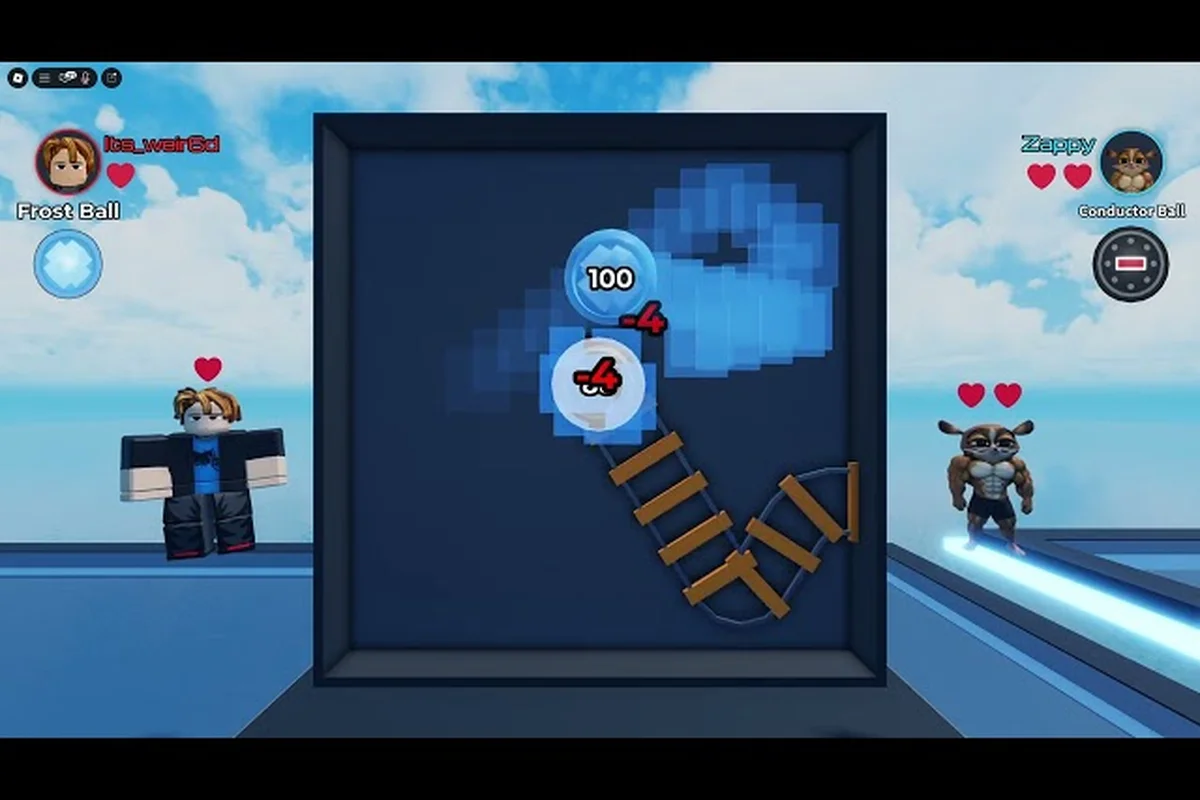
Ball VS Ball bugs can turn a clean arena run into a frustrating mess, from balls clipping through the floor to supposed exploits that promise free coins but actually trigger refund reversals. Knowing which glitches are real, which are rumors, and which violations can get an account actioned is the difference between protecting your Robux and losing them. This guide walks through the most commonly reported Ball VS Ball bugs, how the developer ATYS 3 actually handles reports, and the safest path if a purchase failed and you need a refund.
Common Ball VS Ball Bugs Reported in the Arena
Ball VS Ball is built on the official Ball VS Ball Roblox page as a randomized arena brawler where you pick a ball, fight other players, reroll when the roll is bad, and grind coins toward new balls in the shop. Because the entire experience leans on random rolls, visual feedback, and remote matchmaking, it is a textbook environment for client-side oddities to surface as Ball VS Ball bugs. Community reports on YouTube and Discord threads cluster into a handful of recurring categories that players can identify before assuming the worst.
Visual and Animation Glitches
The first category covers cosmetic mishaps that do not affect damage or match outcome but still feel broken. According to community footage, the most cited visual Ball VS Ball glitches include balls that stretch or stretch-tween into a flat plane mid-roll, particle effects persisting on the arena floor after a match ends, and a brief texture pop where the ball material appears low-resolution for a single frame after respawn. These issues are almost always client-side and are not the same thing as an exploit, because they do not change hitboxes, speed, or coin payouts.
A second sub-type is the shop preview glitch, where a Legendary ball the player does not yet own shows the wrong trail or scale in the daily stock preview window. Players sometimes mistake this for pay-to-lose behavior, but the in-match model always renders correctly when the ball is actually equipped.
Matchmaking and Roll Anomalies
The second category of Ball VS Ball bugs is the one that triggers the loudest complaints: rolls that "feel rigged." Players regularly report pulling three of the same Common ball in a row, getting an Epic on the free roll but only Commons on subsequent paid rerolls, or seeing the opponent team receive visibly better-rarity distributions in the first ten seconds. The official store description frames ball rarity as the core progression hook, so any perceived imbalance reads as a bug to the player even when the underlying RNG is working as designed.
What actually qualifies as a Ball VS Ball exploit in this space is rare. Genuine roll manipulation would require server-side access, and the few community clips that claim to prove it usually turn out to be client-prediction lag, where the local client briefly shows the previous roll's result before correcting. A practical rule of thumb from veteran players: if the apparent "rigged" outcome is consistent with normal rarity odds documented in the shop, it is not a bug — it is variance.
| Symptom | Likely Cause | Player Action |
|---|---|---|
| Repeated same-rarity rolls | Standard RNG variance | Keep playing, track 50+ rolls |
| Opponent team gets better rolls in 1v1 | Server-side hidden MMR bracket | Report only if pattern holds 20+ matches |
| Ball appears as wrong model in shop | UI cache desync | Rejoin the server, do not purchase blind |
| Roll animation freezes for 2-3 seconds | Client prediction lag | Wait for the server to resolve the roll |
| Coins deducted but ball not added | Roblox purchase handshake delay | Screenshot immediately, then file a refund request |
Connection, Crash, and Respawn Errors
The third category is the one that actually costs time and Robux. Connection drops mid-battle, full client crashes to the Roblox home menu, and respawn loops where a defeated ball reappears inside a wall or under the map are the most common reasons players file Ball VS Ball bugs reports through the in-game menu. These are infrastructure-level issues tied to the player's network and Roblox's regional servers rather than to ATYS 3's game code, which is why the developer recommends a simple rejoin before escalating. For persistent crash-on-spawn loops, clearing the Roblox cache and rejoining a different server almost always resolves the issue, and the same troubleshooting flow is documented in the Ball VS Ball error codes guide for related symptoms.
Real Ball VS Ball Exploits vs. Fake "Free Coins" Rumors
The phrase "Ball VS Ball exploit" gets attached to two very different things in community channels. The first is an actual code-level vulnerability that lets a player alter match outcomes, duplicate coins, or unlock paid balls without paying. The second is a viral rumor — usually a clickbait video or a Discord DM — that promises a free Robux or gem generator if you run a script, complete a "human verification" survey, or paste a code into the in-game chat. Only the first is a real exploit; the second is a social-engineering attack dressed up as an exploit.
How to Spot a Real Exploit Clip
A legitimate Ball VS Ball exploit clip shows a behavior that cannot be reproduced through normal input: a ball passing through arena geometry, a coin counter ticking up without a match being played, or a Legendary ball in the inventory that the player never paid for. These clips also tend to come from established community creators who have a track record of bug reports acknowledged by ATYS 3, and they are usually accompanied by a clear reproduction path — what server, what ball, what input sequence.
The far more common fake-exploit format is a 30-second screen recording showing a number "before" and "after," with the actual change happening in an off-camera browser tab. Because Roblox runs entirely client-side for inputs and server-side for currency, no browser-side generator can actually push coins into the Ball VS Ball economy, which is why these videos never survive a single reply asking for a second clip with the Roblox overlay visible.
| Claim | Plausibility | Verification Path |
|---|---|---|
| Free Robux generator via script | None — impossible | Never run; report the video |
| Free Legendary ball via code | None — game has no code system | Check official ATYS 3 group for announcements |
| Ball passes through walls | Possible — needs repro | Record with Roblox overlay, file in-game report |
| Coins earned without a match | Almost always fake | Check match history in the player profile |
| Speed hack via autoclicker | Possible client-side | Record input timing, file report |
What Actually Happens If You Try an Exploit
Even the genuine Ball VS Ball hacking tools that circulate on shady sites carry the same three risks. First, they almost always require disabling Roblox's anti-cheat client, which itself is a Terms of Service violation independent of the in-game exploit. Second, the bundled "loader" is one of the most common vectors for credential-stealing malware aimed at Roblox accounts, because the target audience skews young. Third, even if a tool genuinely duplicates coins, ATYS 3 runs server-authoritative currency checks, so the duplicate is reversed on the next match end and the account is flagged for review.
The safer mental model is to treat any Ball VS Ball exploit clip as a curiosity to report, not a tool to try. ATYS 3's AtysGames on Roblox accepts bug reports, and the in-game report menu routes to the same moderation queue, so a real clip has a real path to a fix.
Ball VS Ball Hacking Reports and How Cheaters Get Caught
A loud minority of arena matches include a player who is clearly cheating: a ball that moves two to three times the expected speed, a coin payout that doubles after every match, or a roll that always lands on Legendary regardless of stock. These are the cases where the term Ball VS Ball hacking applies cleanly — somebody is using a third-party tool to gain an advantage. The interesting part is that anti-cheat in Roblox arena games is layered, so most blatant cheaters are flagged automatically within a few matches rather than surviving for long.
Server-Authoritative vs. Client-Side Checks
Ball VS Ball keeps coin balances, ball ownership, and match results on the server, which means any client-side tool that claims to set your coin count to 999,999 will visibly fail the next time the server pushes its own authoritative balance. What cheaters can do reliably is manipulate client-side readouts: showing a fake ball in their own inventory, or hiding their actual ball model behind a wall texture to dodge. Both produce clips that look impressive but are detected within a small number of matches because the server still records the real outcome.
What server-side checks do catch reliably is unnatural input frequency. Autoclickers and macro tools generate input patterns that no human hand can replicate, and Roblox's anti-cheat flags those sessions for review. In practice, the most common outcome a player observes is a sudden mid-match disconnect followed by a temporary cooldown when the cheater re-enters, which is the anti-cheat system kicking the flagged session.
What Players Should Do When They Spot a Cheater
The right move when you spot a Ball VS Ball cheater is to use the in-game report menu immediately, because the report ties to the specific match ID, the server region, and the ball used. A generic "hacker in arena" comment on Discord has almost no moderation value; a structured in-game report with a short description of the abnormal behavior has a high chance of triggering a review. The community wiki on related Roblox arena titles consistently shows that two to three in-game reports from separate players on the same account produce a response within 24 hours, while a single report may take longer to triage.
| Cheater Behavior | What Players See | Right Response |
|---|---|---|
| Speed hack on ball movement | Ball zips across arena in 1-2 seconds | In-game report, add short description |
| Wall-clip or no-clip | Ball passes through solid geometry | Record clip, attach to report |
| Fake Legendary ball model | Visually different ball, normal stats | Report, do not engage further |
| Auto-coin duplication | Coin counter jumps mid-match | Stop spending, report, screenshot |
| Chat spam with scam links | Repeated "free Robux" messages | Report + block, never click links |
Players who want a broader view of how Ball VS Ball's progression and economy interact with cheaters can cross-check against the Ball VS Ball beginner guide to understand which purchases are at risk and which are recoverable.
Ball VS Ball Cheaters, Reporting Flow, and Developer Response
The relationship between players and ATYS 3 around Ball VS Ball cheaters is more structured than most arena games make it. There is a single developer account, a single group, and a single Roblox moderation queue that all bug and exploit reports route into, which means a well-formed report actually has a chance of producing a visible response. The weak point is that report quality varies wildly, and most reports fail to include the information a moderator needs to act.
The Reporting Path That Actually Works
The most reliable path for a Ball VS Ball bugs or cheater report is the in-game report menu, opened from the player list during or right after a match. The report should include the cheater's username, the ball used, the server region, and a one-sentence description of the abnormal behavior. Reports that include a clip — even a 10-second screen recording from a phone — are processed noticeably faster, because the moderator can verify the behavior without rejoining a potentially already-rotated server.
Outside the game, the ATYS 3 developer profile accepts direct messages, and the ATYS 3 Roblox group is the official channel for free-reward announcements rather than bug fixes. The group's member count of over 1.26 million reflects how the developer organizes communication: announcements go to the group wall, individual reports go through the in-game menu, and everything else routes through Roblox support.
What Happens After a Report Is Filed
Roblox moderation reviews reports in priority order, with active exploitation and Robux theft ranked above cosmetic glitches. A report that accuses a player of Ball VS Ball hacking with a clip attached and a match ID will typically be reviewed within 24 hours, while a generic visual-glitch report may sit in the queue for a week or more. When action is taken, it ranges from a warning on the first offense to a permanent account ban for repeated or severe cases like coin duplication.
Players who have been incorrectly flagged by a coordinated report campaign have a separate appeal path through Roblox support, which is documented in the Ball VS Ball error codes guide under the ban-appeal section. The key is to keep the appeal factual: list the specific matches, the balls used, and the moderator's notification timestamp.
Ball VS Ball Refund Paths for Failed Purchases and Lost Robux
The Ball VS Ball refund question is the one that costs players the most when handled wrong, because the Roblox refund window is short and the supporting evidence requirements are strict. Three scenarios account for almost every refund request: the ball was not delivered after a successful charge, the player was charged twice for a single purchase, and the purchase was made by a child on a parent's account without consent. Each has a different evidence path and a different success rate.
Refund Scenario 1: Charged but Not Delivered
The most common refund scenario is a successful charge with no in-game delivery, almost always caused by a Roblox handshake delay where the server records the transaction but the client never receives the unlock signal. The right move is to screenshot the Robux deduction from the Robux purchase history within five minutes of the failed delivery, then rejoin the server once before opening a refund request. Roughly half of these cases self-resolve on a single rejoin, because the unlock signal is in the server's queue and just needs the client to reconnect to receive it.
If a rejoin does not fix it, the refund request should include the match ID, the ball purchased, the transaction timestamp from Robux history, and the screenshot of the deduction. Refund requests that include all four pieces of evidence are typically approved within three business days.
Refund Scenario 2: Duplicate Charge
Duplicate charges happen when the Roblox network hiccups during the purchase confirmation and the client retries the transaction before the server replies. The player sees one ball in the inventory but two deductions in the Robux history. The fix is a support ticket with both transaction IDs, because Roblox's billing system deduplicates automatically once both records are visible in the same ticket. Players who only mention "I was charged twice" without the transaction IDs almost always get a generic "we cannot find a duplicate" reply, because the support agent does not have the visibility to correlate the records.
Refund Scenario 3: Unauthorized Purchase
The third refund scenario is a child making a purchase on a parent's account, and it is the hardest to navigate because Roblox's standard policy treats the account holder as the authorized buyer. Parents who want a refund in this case should enable Roblox parental controls immediately, document the controls change timestamp, and submit the refund request with a short note explaining the household situation. Refund approval rates for unauthorized purchases are noticeably higher when the request is filed within 24 hours of the purchase, because the policy window is tighter for recent transactions.
| Refund Scenario | Evidence Required | Expected Resolution Time |
|---|---|---|
| Charged but not delivered | Robux history screenshot, match ID, ball name | 1-3 business days |
| Duplicate charge | Both transaction IDs, single support ticket | 2-5 business days |
| Unauthorized by minor | Parental controls proof, purchase timestamp | 3-7 business days |
| Ball delivered but unwanted | Transaction ID, in-game ball name | Usually denied |
| Purchase during exploit-induced loss | Clip of exploit, transaction ID | Case-by-case |
Players who have lost Robux to a confirmed Ball VS Ball exploit should keep the clip and the transaction ID together, because a moderator's confirmation that the loss was exploit-induced shifts the refund into a different approval bucket than a normal "I changed my mind" request.
Frequently Asked Questions
Are Ball VS Ball bugs fixed quickly?
Visual and matchmaking glitches typically get a hotfix within a few days of an acknowledged report, but only if the report includes a clip and a match ID. Ball VS Ball bugs that block progress entirely — like an unescapable respawn loop — are prioritized, while cosmetic-only glitches can sit in the queue for a full patch cycle. Tracking the ATYS 3 group wall is the fastest way to confirm that a fix has actually shipped.
Can I get a Ball VS Ball refund if I just changed my mind?
Standard refund policy treats delivered balls as non-refundable, because the server has already granted the unlock. The exception is when the purchase was made through an exploit or a cheater interaction, in which case a moderator-confirmed exploit report can shift the request into a recoverable bucket. Players who want a general overview of how the economy handles edge cases can cross-check against the Ball VS Ball new player guide to see which purchases are typically worth keeping versus refunding.
How do I report Ball VS Ball cheaters without getting falsely flagged back?
Use the in-game report menu rather than a public Discord callout, because the moderation queue has a structured format that moderators actually act on. Public accusations in community channels occasionally trigger coordinated false-report campaigns against the accuser, which is a worse outcome than the original cheater going unpunished for one extra match. The report should include the cheater's username, the ball used, and a one-sentence behavior description — no embellishment needed.
What's the difference between a Ball VS Ball glitch and an exploit?
A glitch is an unintended behavior in the game's normal code path, like a ball stretching or a particle effect persisting on the floor. An exploit is a deliberate manipulation of game state, usually through a third-party tool, that changes the outcome a normal player could achieve. Players who want a deeper sense of which behaviors cross that line can compare notes in the how to get better at Ball VS Ball guide, which documents the legitimate skill ceiling that exploits are measured against.